getProgramAccounts (15ms p50 for top dexes) & getTransactionsForAddress (signatures and transaction data in a single call). Unlock Now!How to Stream Solana Accounts, Transactions & Blocks with gRPC

Team Shyft
· January 22, 2026
A comprehensive guide on how to stream real-time Solana accounts, transactions, and block updates using Shyft gRPC.
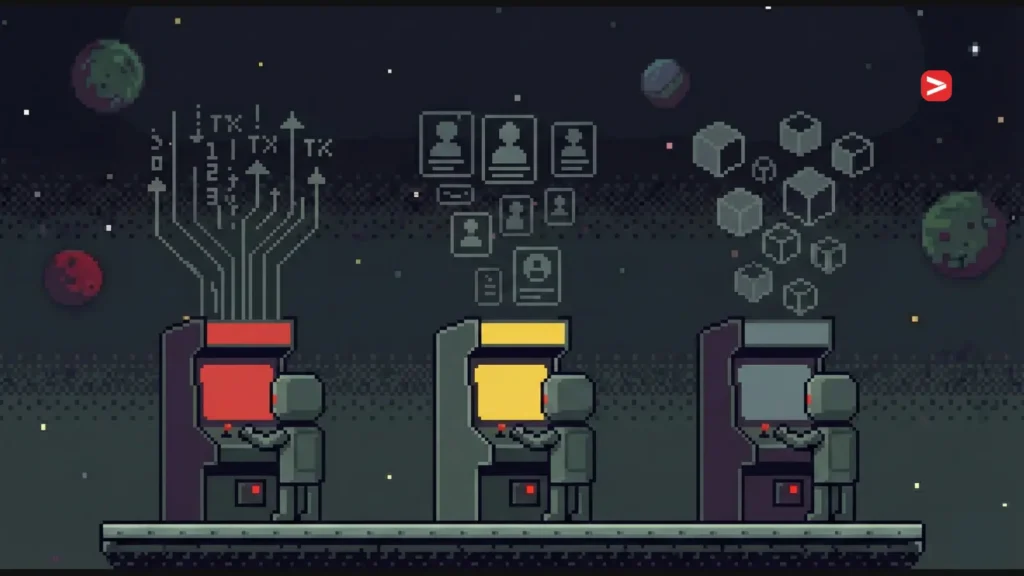
In this guide, you’ll learn how to stream real-time Solana data — including accounts, transactions, and block updates — using gRPC. We’ll use Shyft’s Yellowstone gRPC service, which gives you a fast, reliable, and filtered stream directly from the Solana validator. By the end of this tutorial, you’ll be able to:
- Subscribe to any Solana account update in real time
- Stream and filter transactions by program ID or account
- Receive block updates as they’re confirmed on-chain
- Deserializing our output — Accounts and Transactions.
Before gRPC, Streaming on-chain data was traditionally challenging and time-consuming. However, with the introduction of Yellowstone gRPC, it is now possible to stream on-chain data such as accounts, transactions, and blocks conveniently and efficiently.
Pre-requisites to start
Get Your Shyft API Key, gRPC endpoint and gRPC token
Signup and get your free API key, and a gRPC token
A server-side backend (like NodeJS) to receive gRPC data
Since gRPC streaming is not supported on the front end, so you’ll need a backend application to receive gRPC data. In this example, we used NodeJS, but other backend languages such as C#, Go, Java, Kotlin, Python, or PHP can also be used.
Git repository & dependencies
All the code related to this article is available on our GitHub here. Please feel free to clone it and follow along.
To clone it from GitHub, open a terminal in the directory where you want to save the code, and hit the following command
$ git clone https://github.com/Shyft-to/solana-defi.gitOnce done you will should see all the directories involved in the repository, then hit the following commands in your terminal.
cd grpc-block
npm install
This will take you to the directory where the code for this blog is available, and will also install all the required dependencies to run the project. You can also checkout the other directories in the repo, as they are all sample projects related to other blogs we have published.
Why Use Yellowstone gRPC for Solana Data Streaming?
gRPC streamlines data transmission on the Solana blockchain with minimal latency, eliminating the need for a dedicated node and simplifying the development process. By utilizing gRPC, complex projects can be built more easily due to its low latency and reduced code base. In summary, gRPC has revolutionized the era of dedicated nodes with its:
- Simplified data streaming on Solana blockchain
- Minimal latency.
- Easy to build complex projects with reduced codebase.
- Low latency-streaming.
- Revolutionization of the era of dedicated nodes.
How to Stream Solana Data with Yellowstone gRPC?
First, we need to define the SUBSCRIBE REQUEST interface, which specifies the data that we are interested in.
interface SubscribeRequest {
    accounts: { [key: string]: SubscribeRequestFilterAccounts };
    slots: { [key: string]: SubscribeRequestFilterSlots };
    transactions: { [key: string]: SubscribeRequestFilterTransactions };
    transactionsStatus: { [key: string]: SubscribeRequestFilterTransactions };
    blocks: { [key: string]: SubscribeRequestFilterBlocks };
    blocksMeta: { [key: string]: SubscribeRequestFilterBlocksMeta };
    entry: { [key: string]: SubscribeRequestFilterEntry };
    commitment?: CommitmentLevel | undefined;
    accountsDataSlice: SubscribeRequestAccountsDataSlice[];
    ping?: SubscribeRequestPing | undefined;
  }
To implement Account Streaming, we need to manage our stream in the following way: this function handles updates from the stream and also defines the data that we want our stream to fetch. This ensures that we only receive the relevant information for our use case.
async function handleStream(client: Client, args: SubscribeRequest) {
    // Subscribe for events
    const stream = await client.subscribe();

    // Create `error` / `end` handler
    const streamClosed = new Promise<void>((resolve, reject) => {
      stream.on("error", (error) => {
        console.log("ERROR", error);
        reject(error);
        stream.end();
      });
      stream.on("end", () => {
        resolve();
      });
      stream.on("close", () => {
        resolve();
      });
    });

    // Handle updates
    stream.on("data", async (data) => {
      try{
       console.log(data)
     }catch(error){
    if(error){
      console.log(error)
    }
  }
});

    // Send subscribe request
    await new Promise<void>((resolve, reject) => {
      stream.write(args, (err: any) => {
        if (err === null || err === undefined) {
          resolve();
        } else {
          reject(err);
        }
      });
    }).catch((reason) => {
      console.error(reason);
      throw reason;
    });

    await streamClosed;
  }
Next, we need to define our subscribe command function and Request. This step is the icing on the code and concludes our stream implementation. Each stream type may have different requirements for streaming. For instance, the HANDLE STREAM function and the need to deserialize may be similar for both Account and Transaction streams. However, Block Streams do not require deserialization and follow a different pattern altogether.
Subscribe Request For Streaming Accounts
async function subscribeCommand(client: Client, args: SubscribeRequest) {
    while (true) {
      try {
        await handleStream(client, args);
      } catch (error) {
        console.error("Stream error, restarting in 1 second...", error);
        await new Promise((resolve) => setTimeout(resolve, 1000));
      }
    }
  }

  const client = new Client(
    'YOUR X REGION URL',
    'YOUR X TOKEN',
    undefined,
  );
  const req: SubscribeRequest = {
    slots: {},
    accounts: {
      "spl": {
        account: ["5oVNBeEEQvYi1cX3ir8Dx5n1P7pdxydbGF2X4TxVusJm"],
        owner: [],
        filters: [],
      },
    },
    transactions: {},
    transactionsStatus: {},
    blocks: {},
    blocksMeta: {},
    entry: {},
    accountsDataSlice: [],
    commitment: CommitmentLevel.CONFIRMED,
  };
Subscribe Request for Streaming Accounts for a Program
const req: SubscribeRequest = {
  slots: {},
  accounts: {
    meteora: {
      owner: [METEORA_PROGRAM_ID.toBase58()],
      //program id (base58) for which we want to stream accounts
      account: [],
      filters: [],
    },
  },
  transactions: {},
  transactionsStatus: {},
  blocks: {},
  blocksMeta: {},
  accountsDataSlice: [],
  commitment: CommitmentLevel.PROCESSED,
  entry: {},
};
This is very similar to the previous request, but instead of filtering updates for a specific account, we subscribe to updates related to a specific program. This can be done by specifying the program id as owner in accounts parameter of the subscribe request, as shown in the above example.
// Handling updates from the stream we setup above
  stream.on("data", (data) => {
    if (data.account?.account) {
      const account: AccountInfo<Buffer> = data.account.account;
      const accountData = account.data;
      const parsedAccountData = ACCOUNTS_PARSER.parseAccounts(
        new PublicKey(account.owner).toBase58(),
        accountData,
      );
      const response = {
        slot: data.slot,
        account: {
          executable: account.executable,
          owner: new PublicKey(account.owner).toBase58(),
          lamports: account.lamports,
        } as unknown as AccountInfo<any>,
        pubkey: new PublicKey(data.account?.account?.pubkey).toBase58(),
      };
      if (account.rentEpoch) {
        response.account.rentEpoch = account.rentEpoch;
      }
      if (parsedAccountData) {
        response.account.data = parsedAccountData;
      } else {
        response.account.data = utils.bytes.bs58.encode(accountData);
      }

      console.log(
        "Account Name: ",
        ACCOUNTS_PARSER.getAccountName(accountData),
      );
      console.log("Account Data: ", JSON.stringify(response, null, 2) + "\n");
    }
  });
After receiving the update, we can use the ACCOUNT_PARSER to analyze each update and extract valuable information for use in applications. You can find the sample code related to streaming accounts data here.
Subscribe Request for Streaming Transactions
const req: SubscribeRequest = {
    slots: {},
    accounts: {},
    transactions: {
      alltxs: {
        vote: true,
        failed: true,
        signature: undefined,
        accountInclude: [],
        accountExclude: [],
        accountRequired: [],
      },
    },
    transactionsStatus: {},
    blocks: {},
    blocksMeta: {},
    entry: {},
    accountsDataSlice: [],
    commitment: CommitmentLevel.FINALIZED,
  };
When streaming transactions, you can also try Rabbitstream for even lower latencies.
Subscribe Request for Streaming Blocks
async function handleStream(client: Client, args: SubscribeRequest) {
    // Subscribe for events
    const stream = await client.subscribe();

    // Create `error` / `end` handler
    const streamClosed = new Promise<void>((resolve, reject) => {
      stream.on("error", (error) => {
        console.log("ERROR", error);
        reject(error);
        stream.end();
      });
      stream.on("end", () => {
        resolve();
      });
      stream.on("close", () => {
        resolve();
      });
    });

    // Handle updates
    stream.on("data", async (data) => {
      try{
        const blockhash = data.blockMeta.blockhash;
        const parentBlockhash = data.blockMeta.parentBlockhash;
        const blockTime = data.blockMeta.blockTime.timestamp;
        const slot = data.blockMeta.slot;
        console.log(`
            Blockhash : ${blockhash}
            Parent Blockhash : ${parentBlockhash}
            Block Time : ${blockTime}
            Slot : ${slot}
            `)
  }catch(error){
    if(error){
      console.log(error)
    }
  }
});

    // Send subscribe request
    await new Promise<void>((resolve, reject) => {
      stream.write(args, (err: any) => {
        if (err === null || err === undefined) {
          resolve();
        } else {
          reject(err);
        }
      });
    }).catch((reason) => {
      console.error(reason);
      throw reason;
    });

    await streamClosed;
  }

  async function subscribeCommand(client: Client, args: SubscribeRequest) {
    while (true) {
      try {
        await handleStream(client, args);
      } catch (error) {
        console.error("Stream error, restarting in 1 second...", error);
        await new Promise((resolve) => setTimeout(resolve, 1000));
      }
    }
  }

  const client = new Client(
    'YOUR X URL',
    'YOUR X TOKEN',
    undefined,
  );
  const req: SubscribeRequest = {
    slots: {},
    accounts: {},
    transactions: {},
    transactionsStatus: {},
    blocks: {},
    blocksMeta: { blockmetadata: {} },
    entry: {},
    accountsDataSlice: [],
  };
Finally, we make our call
subscribeCommand(client, req);Here’s an example of what the output might look like:
{
  filters: [ 'spl' ],
  account: {
    account: {
      pubkey: <Buffer 47 57 89 9f b8 be db a2 87 78 aa cd 67 e5 68 e7 34 70 cc e9 0b cd 53 2b 6c b6 18 29 76 28 82 4e>,
      lamports: '31461600',
      owner: <Buffer 06 dd f6 e1 d7 65 a1 93 d9 cb e1 46 ce eb 79 ac 1c b4 85 ed 5f 5b 37 91 3a 8c f5 85 7e ff 00 a9>,
      executable: false,
      rentEpoch: '18446744073709551615',
      data: <Buffer 01 00 00 00 8d d8 72 a3 b7 15 de d1 d4 60 34 3f f5 ba 4a 28 10 2e 39 02 47 25 89 5f eb c7 a9 c7 97 21 33 d3 f6 4d
40 b3 ae 18 04 00 09 01 00 00 00 00 ... 32 more bytes>,
      writeVersion: '1376590771003',
      txnSignature: <Buffer 92 2d ee 51 37 6c b4 c6 a3 46 8f d8 16 01 dc 1c cc c7 09 8e 7e 1d 96 43 8f 28 48 7b c7 b4 43 22 13 58 b2 9e 34 09 27 31 8d 67 4e c7 b7 6a 2f 2e a1 ce ... 14 more bytes>
    },
    slot: '282339432',
    isStartup: false
  },
  slot: undefined,
  transaction: undefined,
  block: undefined,
  ping: undefined,
  pong: undefined,
  blockMeta: undefined,
  entry: undefined
}
Do not panic — this is where we deserialize the stream data! The following code block demonstrates how to deserialize the data received from the stream. This step is crucial to interpret the raw data and extract meaningful information.
How to Deserialize Solana gRPC Responses?
To convert the output from the buffered account data to a more readable format, we need to deserialize our data. Here’s an example of how you could write a function to deserialize the data in a class
import * as base58 from "bs58";
import {
  AccountMeta,
  CompiledInstruction,
  ConfirmedTransactionMeta,
  LoadedAddresses,
  Message,
  MessageCompiledInstruction,
  MessageV0,
  PublicKey,
  TransactionInstruction,
  VersionedMessage,
  VersionedTransactionResponse,
} from "@solana/web3.js";
import { accountDeserialize } from "./deserializingAccount";
export class TransactionFormatter {
public async formTransactionFromJson(
data: any,
) {
const signatures = base58.encode(
Buffer.from(data.txnSignature,"base64")
)
const publicKey = base58.encode(
Buffer.from(data.pubkey,'base64')
)
const owner = base58.encode(
Buffer.from(data.owner,'base64')
)
const info = await accountDeserialize(data.data)
return {
publicKey,
signatures,
owner,
info
};
}Please note, for every other data you need to deserialize, you would need to specify what data you would love to decode. You would need to write your TransactionFormatter class this way.
const TXN_FORMATTER = new TransactionFormatter();then you edit your handleStream function to fit this
async function handleStream(client: Client, args: SubscribeRequest) {
    // Subscribe for events
    const stream = await client.subscribe();

    // Create `error` / `end` handler
    const streamClosed = new Promise<void>((resolve, reject) => {
      stream.on("error", (error) => {
        console.log("ERROR", error);
        reject(error);
        stream.end();
      });
      stream.on("end", () => {
        resolve();
      });
      stream.on("close", () => {
        resolve();
      });
    });

    // Handle updates
    stream.on("data", async (data) => {
      try{
     if(data?.account?.account){
      const txn = await TXN_FORMATTER.formTransactionFromJson(
        data?.account?.account,
      )
      console.log(txn)
     }

  }catch(error){
    if(error){
      console.log(error)
    }
  }
});

    // Send subscribe request
    await new Promise<void>((resolve, reject) => {
      stream.write(args, (err: any) => {
        if (err === null || err === undefined) {
          resolve();
        } else {
          reject(err);
        }
      });
    }).catch((reason) => {
      console.error(reason);
      throw reason;
    });

    await streamClosed;
  }
Once the data has been properly decoded. Your output should be readable, like so:
{
  publicKey: '5oVNBeEEQvYi1cX3ir8Dx5n1P7pdxydbGF2X4TxVusJm',
  signatures: 'bNya1bzHFUQ9VppF3E5rMwu4MtzCeATwDm98gb9EgxGzWkQGkJzFa5K51WqutJSjfTNSmRRDhDNVjEC5guAfU7S',
  owner: 'TokenkegQfeZyiNwAJbNbGKPFXCWuBvf9Ss623VQ5DA',
  info: {
    mintAuthorityOption: 1,
    mintAuthority: PublicKey [PublicKey(AYhux5gJzCoeoc1PoJ1VxwPDe22RwcvpHviLDD1oCGvW)] {
      _bn: <BN: 8dd872a3b715ded1d460343ff5ba4a28102e39024725895febc7a9c7972133d3>
    },
    supply: 1153019595443727n,
    decimals: 9,
    isInitialized: true,
    freezeAuthorityOption: 0,
    freezeAuthority: PublicKey [PublicKey(11111111111111111111111111111111)] {
      _bn: <BN: 0>
    }
  }
}
Conclusion
Streaming data on the Solana blockchain using dedicated nodes can indeed be a complex and resource-intensive task, requiring a larger and more intricate code base. However, with gRPC, developers can now conveniently stream on-chain data with ease, simplifying their code and allowing them to focus on building robust applications that tap into the power of the Solana blockchain. At Shyft, we are thrilled to introduce this innovative solution to the developer community. Our team is committed to providing the necessary tools and support to make this process seamless. We encourage developers to join our Discord Server or follow us on Twitter for updates and further assistance. With gRPC, developers can take advantage of the low latency and reduced code base to build complex projects with ease. For further assistance, join our Discord Server or follow us on Twitter for updates.
You can find all the code related to this article here on GitHub, please feel free to clone and follow along.
If you liked this blog, please checkout out our other blogs on Rabbitstream vs Shredstream or Pump.fun streaming tutorial.
Resources
Start Streaming Solana Data with Shyft You now have everything you need to stream accounts, transactions, and blocks in real time using gRPC.
- Get Your Free API Key
- Explore Shyft’s Yellowstone gRPC
- Need even lower latency? Try RabbitStream
- View Pricing & Plans
More Resources
Related Posts

Solana getProgramAccounts Benchmark: Shyft’s Accelerated gPA vs. Standard Node
A closer look at gPA’s two-phase scan architecture, benchmarked against a standard Solana RPC node. getProgramAcco...
July 17, 2026
Accelerated getProgramAccounts: Shyft’s Fix for Solana’s Most Expensive RPC Call
A deep dive into why standard RPC nodes struggle with getProgramAccounts, and how a dedicated accounts engine built on R...
June 5, 2026
How to Reconnect and Replay Slots with Solana Yellowstone gRPC
In this article you will learn how to implement a reconnect logic for your Solana gRPC streams with replay functionality...
January 24, 2026

Get in touch with our discord community and keep up with the latest feature
releases. Get help from our developers who are always here to help you take off.